The optional configuration below can be skipped. Its related to third party functions that are not directly needed for the module to work, but can be handy/helpful for your business scope.
Lead Automation Settings Tab
The Lead Automation Settings allow you to automatically convert WhatsApp chats into Leads within Clorofile Cloud. You can define the default lead status, source, and staff assignment for each new inquiry that originates from WhatsApp conversations.
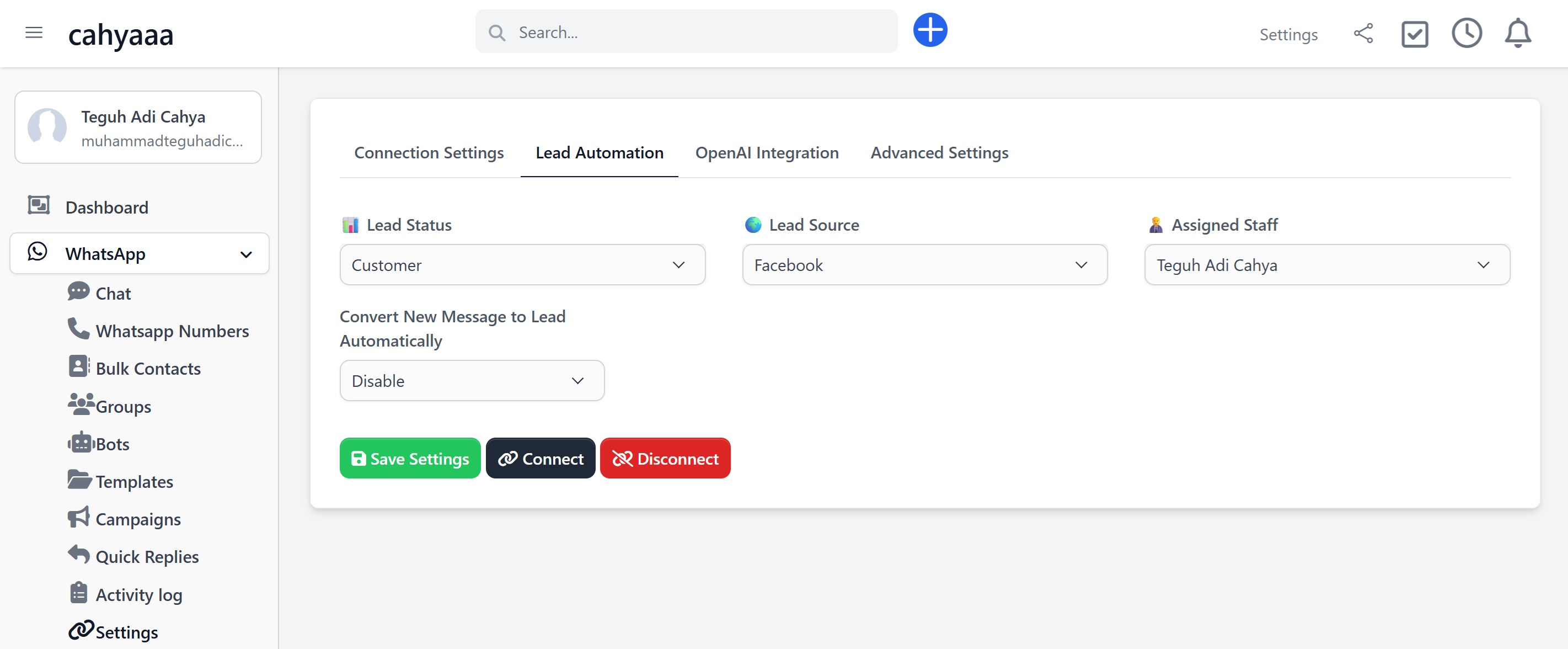
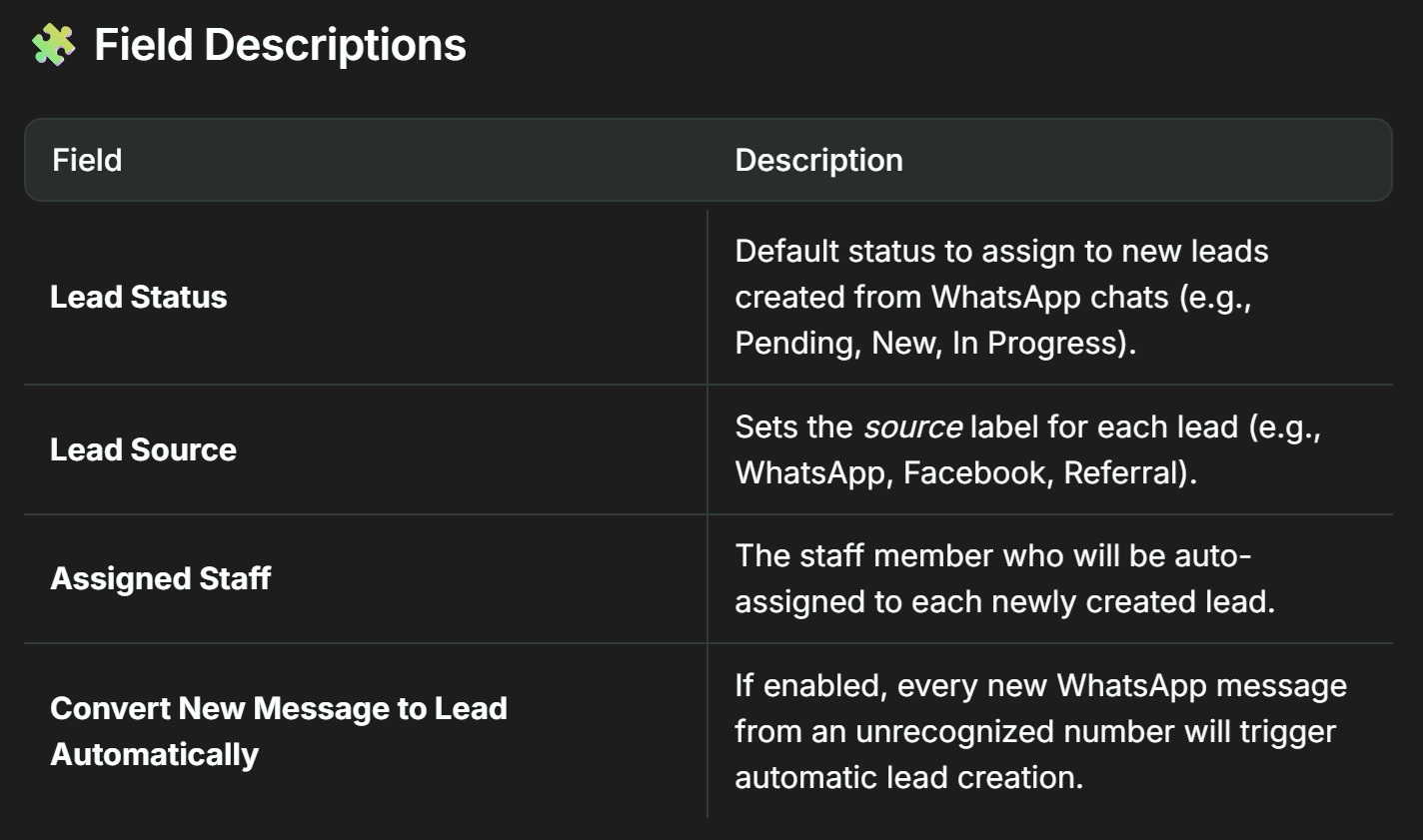
Automation Workflow
- When a new WhatsApp message is received from a number not yet linked to a client or lead, the system can automatically create a new lead entry in the ERP.
- The lead will inherit the status, source, and assignee defined in this settings tab.
- This enables sales staff to follow up faster and ensures no opportunity is missed from inbound chat inquiries.
Recommendations
- Assign a dedicated staff member or team to handle leads from WhatsApp.
- Use a custom lead source like
whatsappto filter these leads in your reports. - Enable automatic conversion only if your team can manage lead flow effectively.
OpenAI Integration Settings
This section lets you connect your OpenAI API Token and control how AI responds to WhatsApp chats inside Clorofile Cloud. You can configure the AI to assist manually or respond automatically depending on your workflow.
.png)
| Field | Description |
| Enable OpenAI Integration |
|
| OpenAI Token | Your API key from OpenAI Required to activate AI features. |
Best Practice Tips
- Use Manual mode if you want to review AI replies before sending.
- Auto mode is useful for 24/7 unattended customer interactions.
- Do not share your
OpenAI Token. It is tied to your billing and usage. - Check OpenAI token usage limits on the OpenAI Dashboard
Advanced Settings Tab
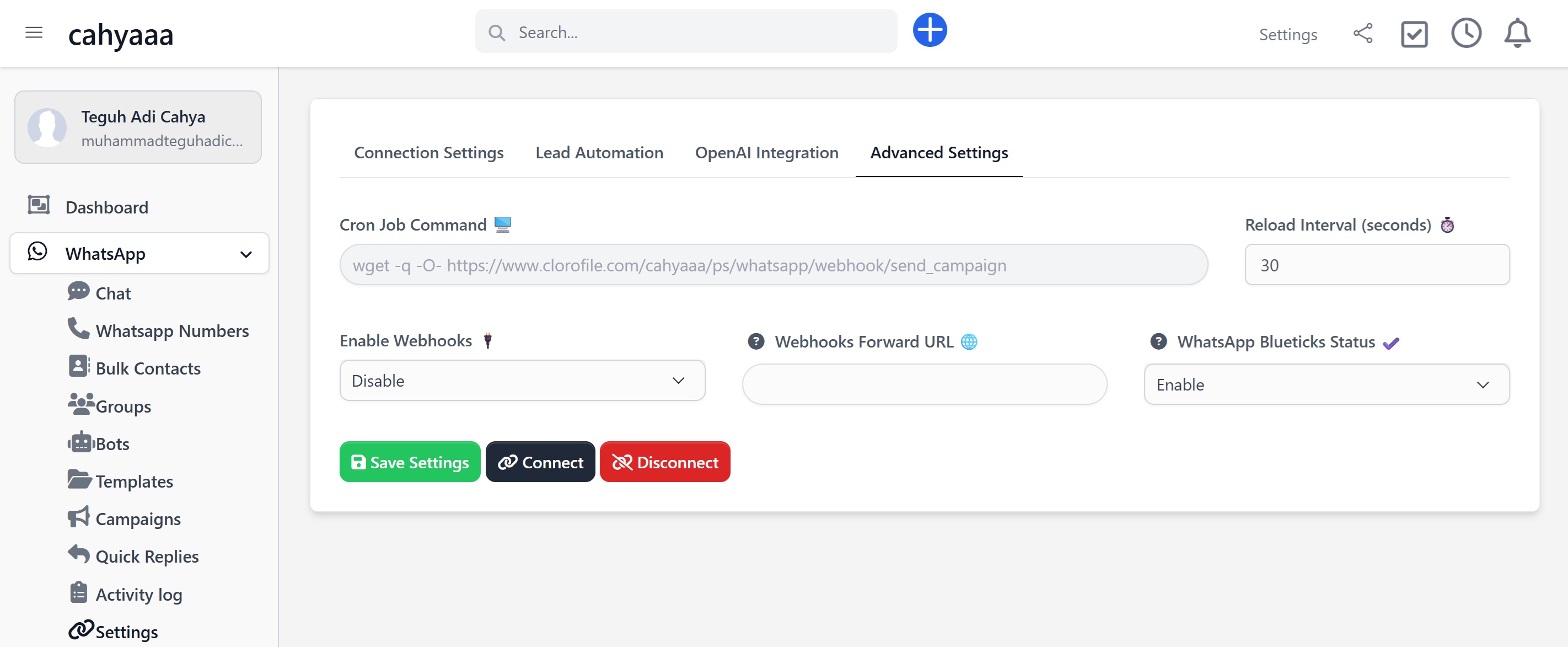
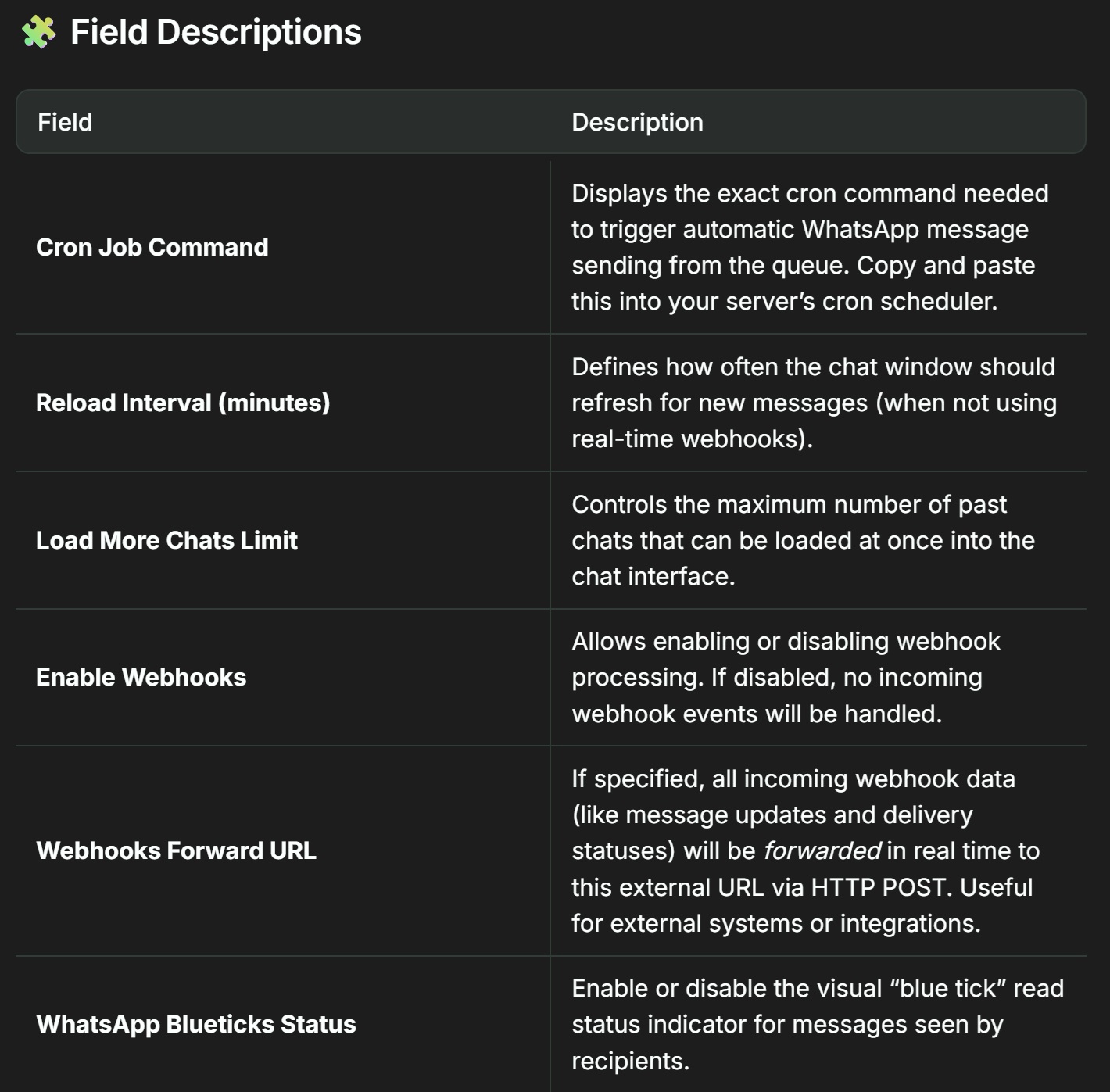
Recommendations
- Use the
Cron Jobonly if you’ve disabled real-time webhook mode or have delayed queue delivery. - Enable Webhook Forwarding only when integrating with external systems (e.g. Node.js, Laravel, Zapier).
- Blueticks are cosmetic only and have no impact on message delivery or read confirmations.